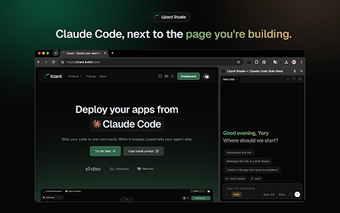
Chrome side panel adds live AI pair-programming for web pages
Lizard Studio - Claude Code Side Panel, developed by Dragon Labs LLC, embeds Anthropic's Claude Code into Chrome to provide in-context development assistance for web pages. The extension surfaces an assistant inside the browser side panel that connects to a locally running Claude Code CLI to assist with debugging, code suggestions, and on-page edits. Its interface groups visual capture and a design toolkit, aimed at web developers and UI designers wanting AI-aware browser workflows.
Can the assistant interact with the page like a human collaborator?
Yes: the tool wires the assistant into the browser execution environment so it can inspect the live document structure and operate on the active tab. That connection enables the assistant to capture composited screenshots, annotate elements, and perform actions such as clicking or typing, giving the AI the real-time context required to behave more like a pair programmer than a passive summarizer.
Does it keep processing local and limit third-party routing?
Local-first architecture: the extension drives a local Claude Code CLI through a native-messaging host, which the developer describes as running entirely on the user machine. The install step uses Node.js (the host is installed with an npx command), and the developer states no external servers or telemetry are used, which reduces network transit to external processors compared with cloud-mediated sidebars.
How does it fit into a developer's existing workflow and tools?
Integration with common front-end tasks: the extension bundles on-page design helpers and inspection aids that otherwise require separate tools. The interface includes:
- rulers, guides and column grids
- an eyedropper for color sampling
- responsive viewport preview and element annotation
The extension also operates with your existing Anthropic account and project folders, so no separate Lizard account is required; that reduces account friction while tying the tool to a developer-controlled Claude Code setup.
Practical choice for developers who accept local setup
Lizard Studio suits developers and designers prepared to run a local Claude Code CLI and install a native host, because that requirement creates an upfront configuration step. For teams willing to add Node.js tooling, the extension embeds AI assistance directly into a browser workflow and keeps processing on-premises; for users who avoid local components, the setup burden makes it a less convenient option.